Как пользоваться IndexEditor

Как пользоваться IndexEditor
Atom
5/28/2019
Дмитрий_


Добрый день

Имею <TabItem> <TabItem.Header> <TextBlock Text="IndexEditor" /> </TabItem.Header> <TabItem.Content> <sx:IndexEditor></sx:IndexEditor> </TabItem.Content> </TabItem> Снимок.PNG
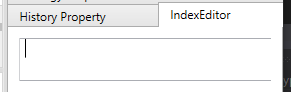
Ввожу данные и получаю 2 исключения 1 ResolutionFailedException: Resolution of the dependency failed, type = "Ecng.Common.ICompilerService", name = "(none)". Exception occurred while: while resolving. Exception is: InvalidOperationException - The current type, Ecng.Common.ICompilerService, is an interface and cannot be constructed. Are you missing a type mapping?

At the time of the exception, the container was:

Resolving Ecng.Common.ICompilerService,(none)

2 InvalidOperationException: The current type, Ecng.Common.ICompilerService, is an interface and cannot be constructed. Are you missing a type mapping?

Добавил using Ecng.Common; в codebehind - не помогло

Снимок.PNG 2 KB (1011)

Tags:


Thanks:


Support

Avatar
Date: 5/31/2019
Reply


Добрый день

В начале работы программы необходимо написать следующую строку кода:

ConfigManager.RegisterService<ICompilerService>(new RoslynCompilerService());
Thanks:

Дмитрий_

Avatar
Date: 6/3/2019
Reply


Support: Добрый день

В начале работы программы необходимо написать следующую строку кода:

ConfigManager.RegisterService<ICompilerService>(new RoslynCompilerService());


Добрый день
Исключения пропали, но появилась новая проблема.
![Capture.PNG](109216)
Как добавить инструменты к контролу, чтобы IndexEditor их видел? (IndexEditor.Securities имеет только get)
Capture.PNG 5 KB (889)
Thanks:

Support

Avatar
Date: 6/6/2019
Reply


Добрый день

Инструменты не добавляются в контрол. Необходимо зарегистрировать сервис ISecurityProvider, аналогично сервису компиляции. Реализацией сервиса несколько. Это может быть хранилище инструментов или коннектор.

Thanks:

Дмитрий_

Avatar
Date: 6/7/2019
Reply


Добрый день

В Shell ConfigManager.RegisterService<ISecurityProvider>(Connector);

  • добавил ConfigManager.RegisterService<ICompilerService>(new RoslynCompilerService()); В SmaMonitoringControl.xaml добавил IndexEditor и получил новые исключения, после введённого инструмента SBER@TQBR (в AddSecurity(sec) в Main Window.xaml.cs инструмент добавлен) Снимок.PNG

Напишите пожалуйста, как в https://doc.stocksharp.ru/html/e0f9d08e-5dba-4d5d-9248-4d37eba61b22.htm что нужно дописать в Shell:

  1. Для SmaTestingControl.xaml;
  2. Для SmaMonitoringControl.xaml; чтобы IndexEditor заработал.

Либо краткий пример, реализующий всё необходимое для исторического теста и реальной торговли.

Снимок.PNG 65 KB (872)
Thanks:

Support

Avatar
Date: 6/8/2019
Reply


Добрый день,

У вас конфликт с предустановленным .NET FW. Так как компилятор Roslyn является не законченным проектом, это требует дополнительных обновлений.

Вы можете заменить данный компилятор на стандартный в своем коде:

ConfigManager.RegisterService<ICompilerService>(new Fw40CompilerService(Directory.GetCurrentDirectory(), Directory.GetCurrentDirectory()));
Thanks:

Дмитрий_

Avatar
Date: 6/9/2019
Reply


Добрый день

Заменил, не работает. Capture.PNG

В MainWindow.xaml.cs в конструктор MainWindow добавил ConfigManager.RegisterService<ICompilerService>(new Fw40CompilerService(Directory.GetCurrentDirectory(), Directory.GetCurrentDirectory()));

В SmaTestingControl.xaml добавил <lc:LayoutItem Label="Index Editor" Height="23" Padding="0"> <sx:IndexEditor Name="IndexEditor"/> </lc:LayoutItem>

Опишите пожалуйста, что нужно дописать в Shell:

  1. Для SmaTestingControl.xaml;
  2. Для SmaMonitoringControl.xaml; чтобы IndexEditor заработал.
Capture.PNG 7 KB (881)
Thanks:

Support

Avatar
Date: 6/9/2019
Reply


  1. В конструктор MainWindow добавьте строчку
ConfigManager.RegisterService<ICompilerService>(new Fw40CompilerService(Directory.GetCurrentDirectory(), Directory.GetCurrentDirectory()));
  1. В конструктор панели стратегии добавьте строчки:
IndexEditor.Securities.AddRange(SecurityProvider.LookupAll());
SecurityProvider.Added += OnAdded;

И обработчик:

private void OnAdded(IEnumerable<Security> securities)
	    {
		    IndexEditor.Securities.AddRange(securities);
	    }
Thanks: Дмитрий_


Attach files by dragging & dropping, , or pasting from the clipboard.

loading
clippy