

 English
 Русский
 中文
中文
 Español
 Português
 日本語
日本語

Yahoo! Finance is a media property that is part of the Yahoo! network. It provides financial news, data and commentary including stock quotes, Forex, cryptocurrency, press releases, financial reports, and original content.
👉 Open up your Hydra Application. 👉 Visit our instruction if you doesn't have Hydra application. 👉 How I can get S#.Data
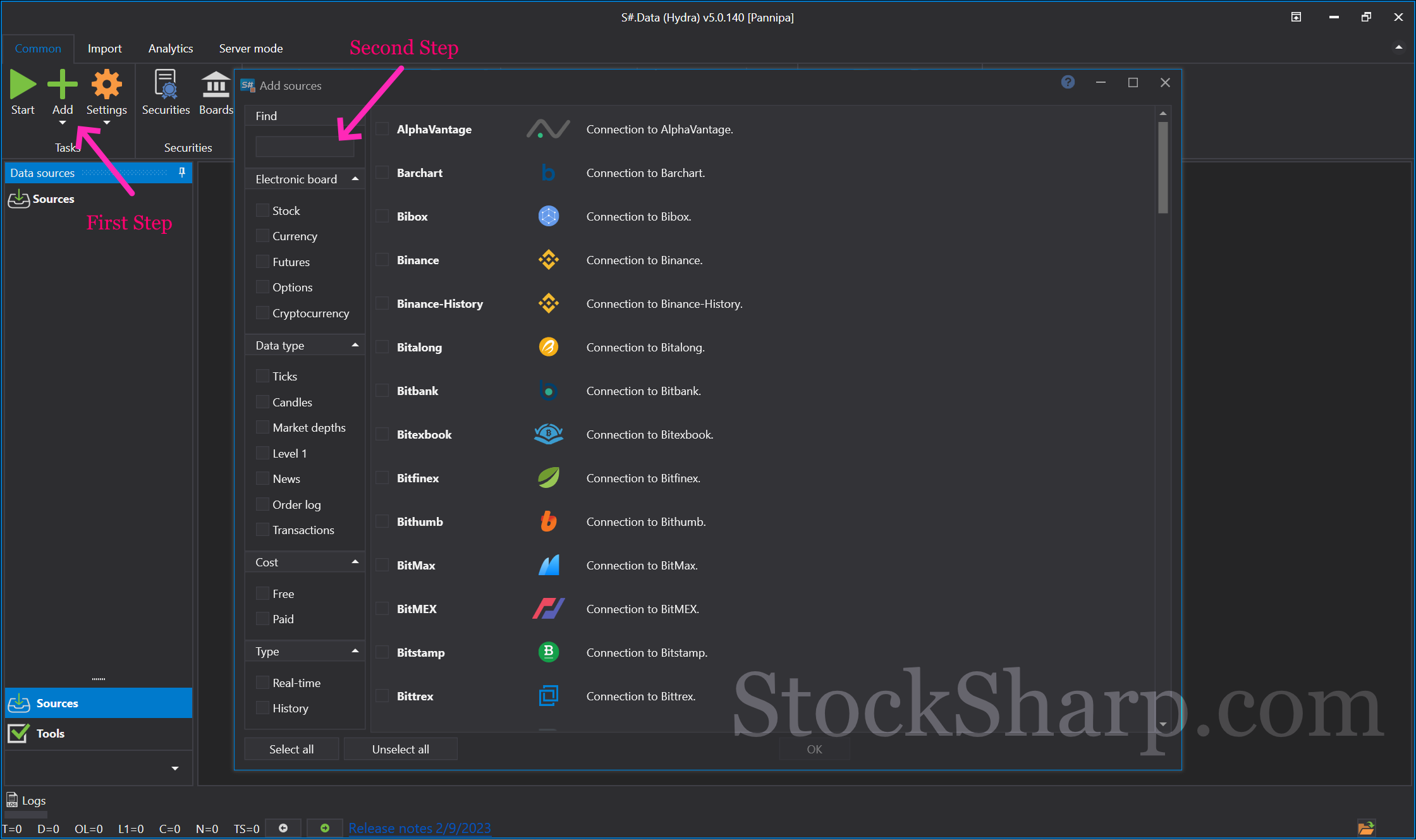 👉 The first page you found will be all possible supported sources.
👉 Or click Add Sources with the plus sign on your top left hand side.
👉 Scroll down to find Yahoo finance from all sources. Or you can search from the Find box.
👉 The first page you found will be all possible supported sources.
👉 Or click Add Sources with the plus sign on your top left hand side.
👉 Scroll down to find Yahoo finance from all sources. Or you can search from the Find box.
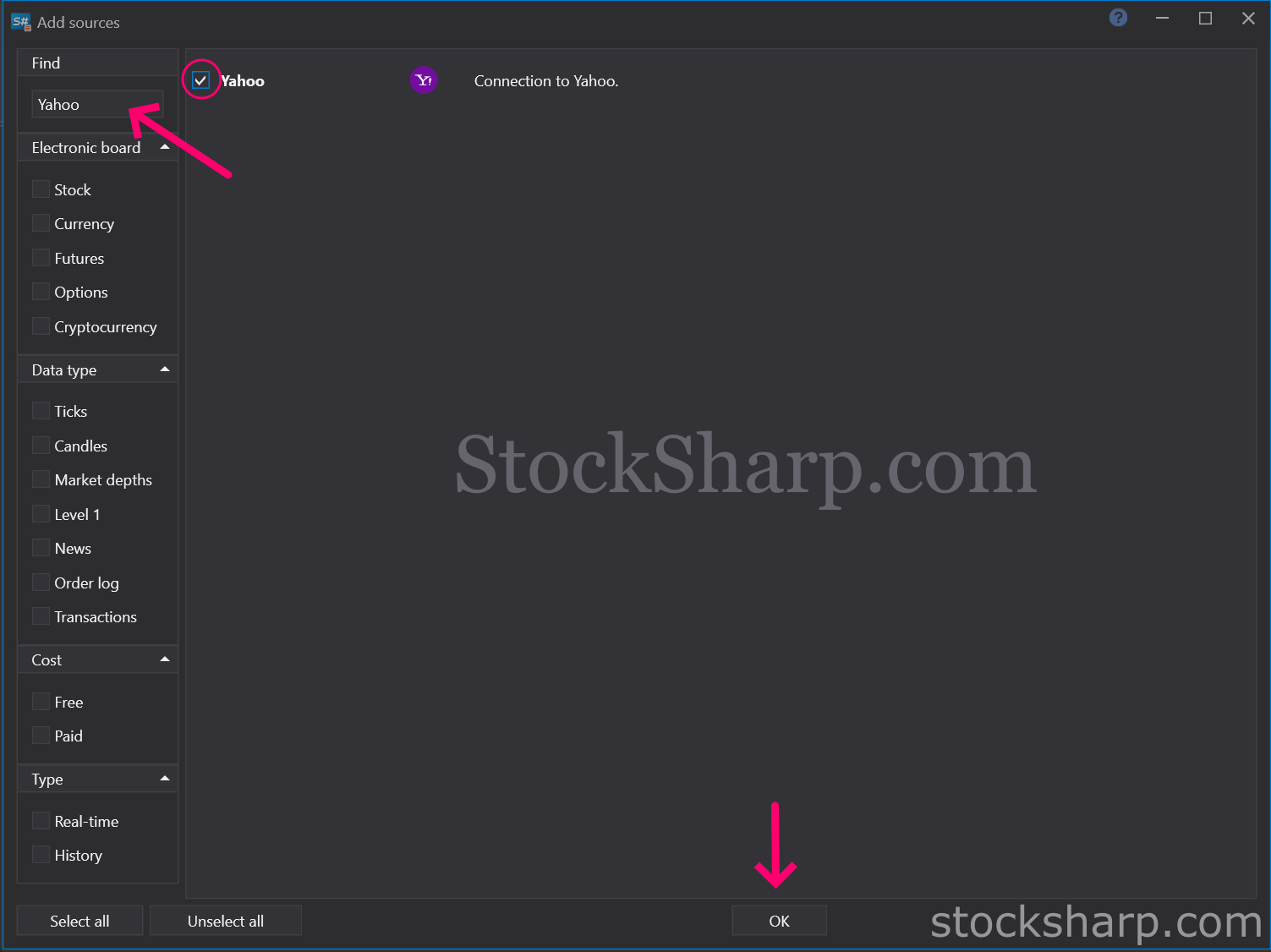 👉 Find Yahoo Finance from this list.
👉 Select to Connection to Yahoo.
👉 And Click OK.
👉 Find Yahoo Finance from this list.
👉 Select to Connection to Yahoo.
👉 And Click OK.
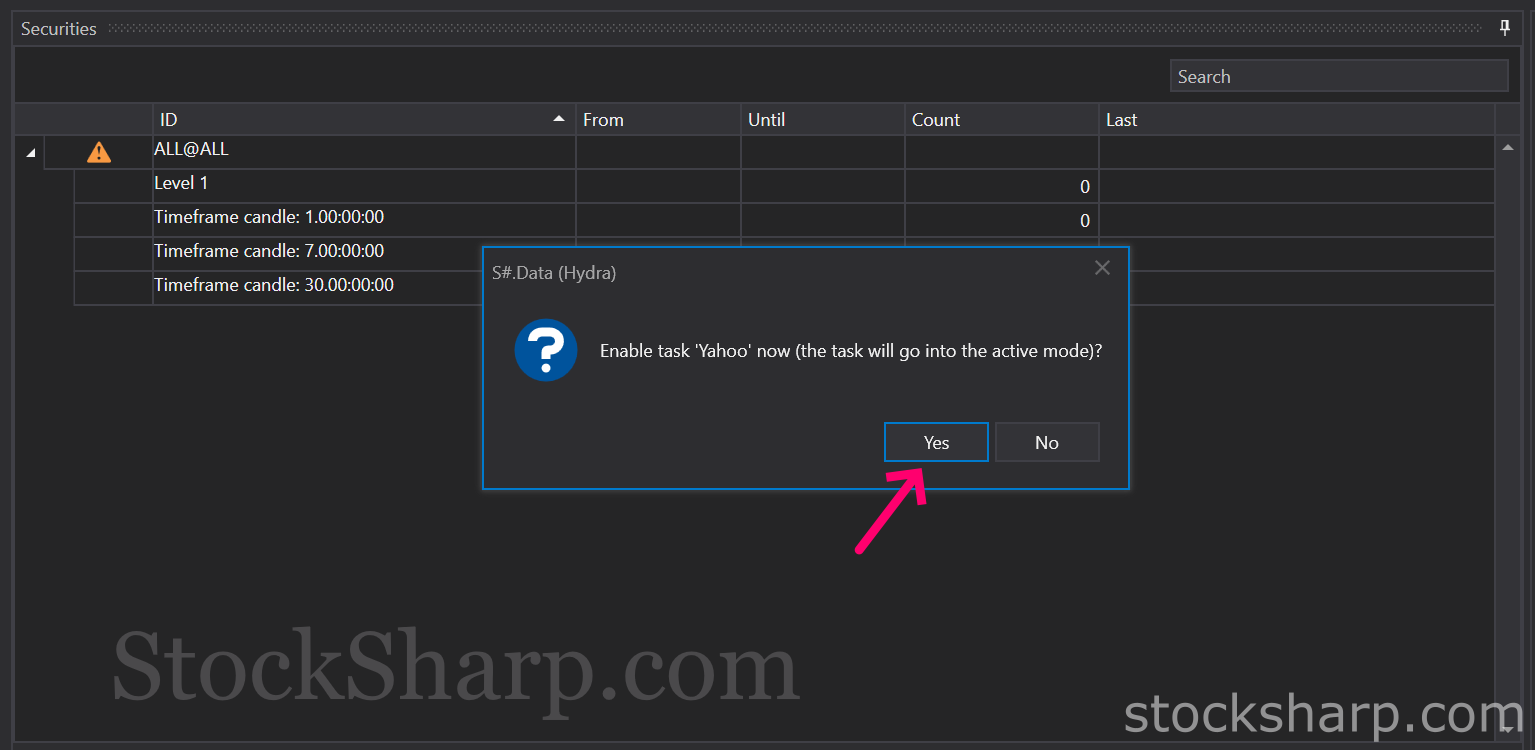 👉 The system will show the screen as above to confirm the connection with Yahoo Finance. You press Yes to continue.
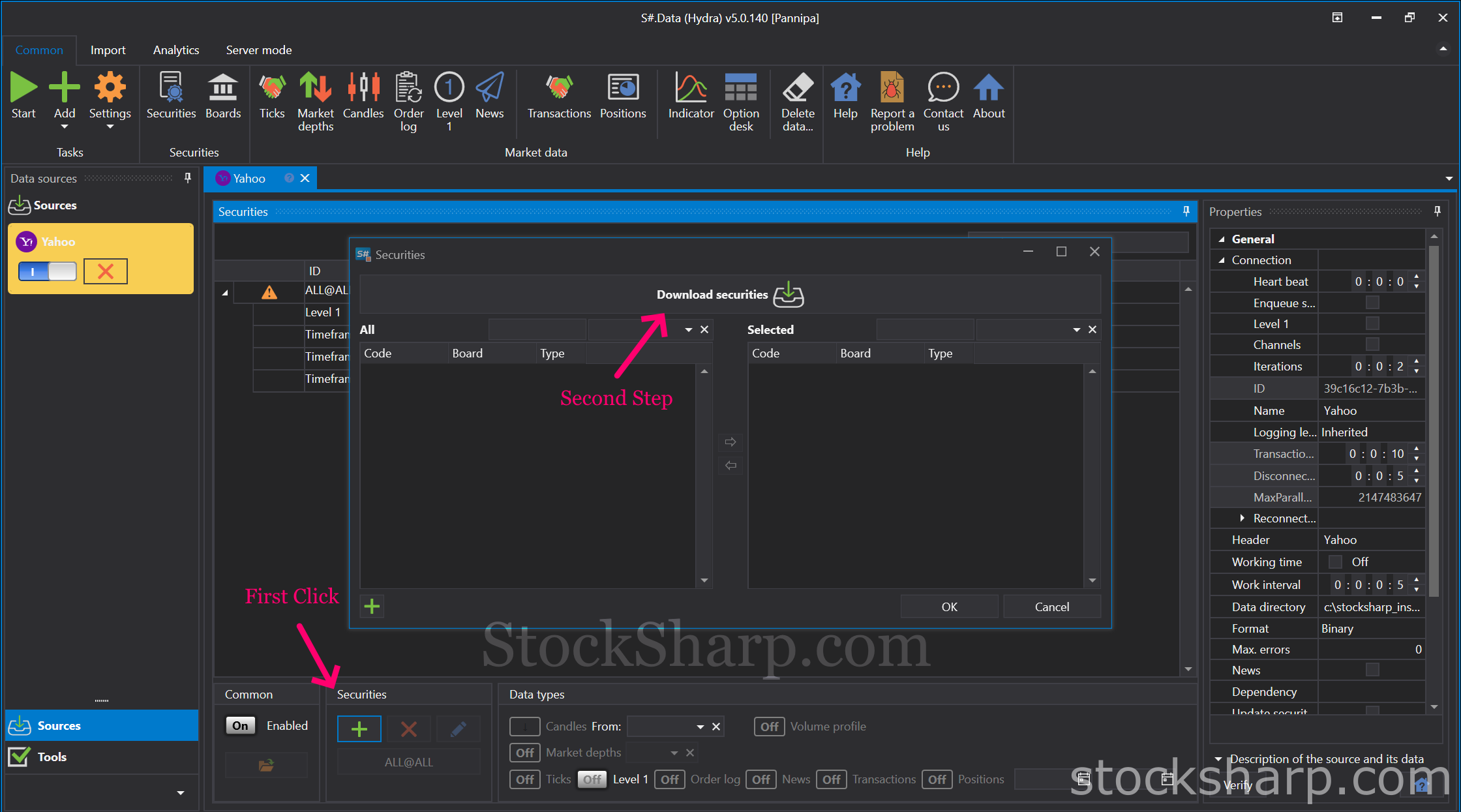 👉 Press Add Securities, which is a plus sign on the bottom row toolbar.
👉 After that, you click on the Download Securities tab.
👉 Press Add Securities, which is a plus sign on the bottom row toolbar.
👉 After that, you click on the Download Securities tab.
*** Please Note For Yahoo Finance, you can access the instrument code from the Yahoo Finance website.***
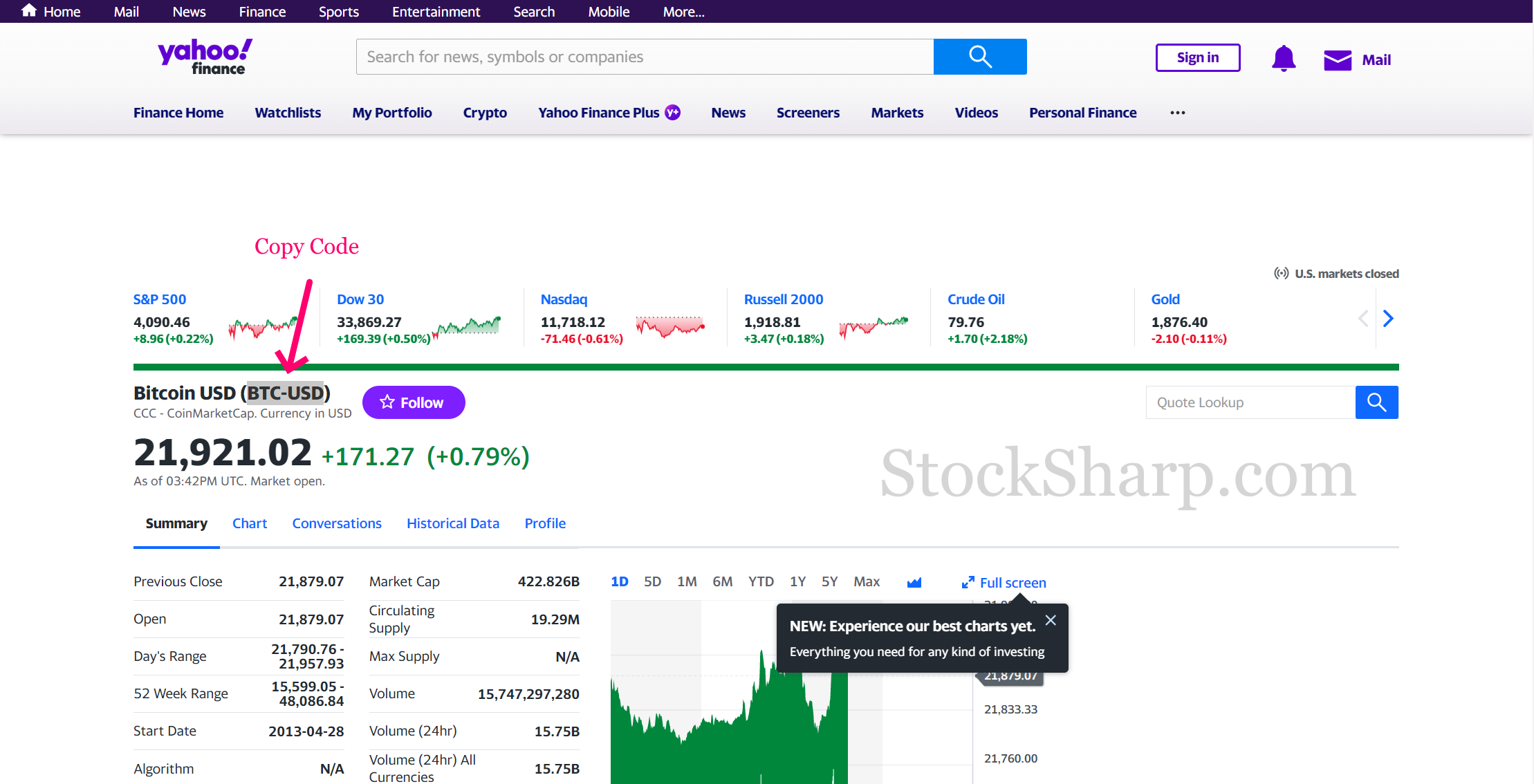 👉 Navigate to the Yahoo finance website,
👉 Use the code in parentheses to search for the Instruments you want to download Market Data from.
👉 Navigate to the Yahoo finance website,
👉 Use the code in parentheses to search for the Instruments you want to download Market Data from.
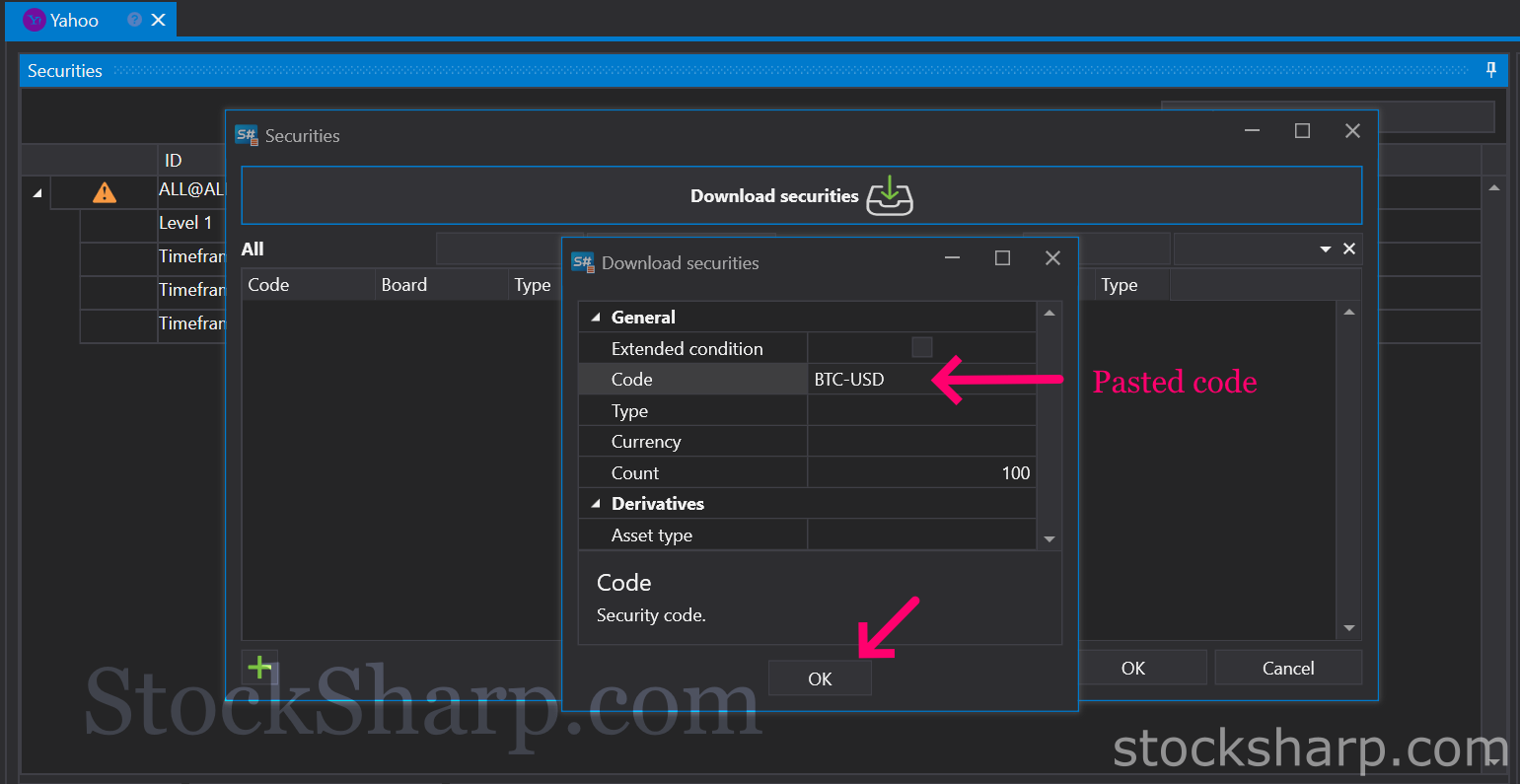 👉 Back to Hydra
👉 Press Paste the code in the Code field to search and click OK.
👉 Back to Hydra
👉 Press Paste the code in the Code field to search and click OK.
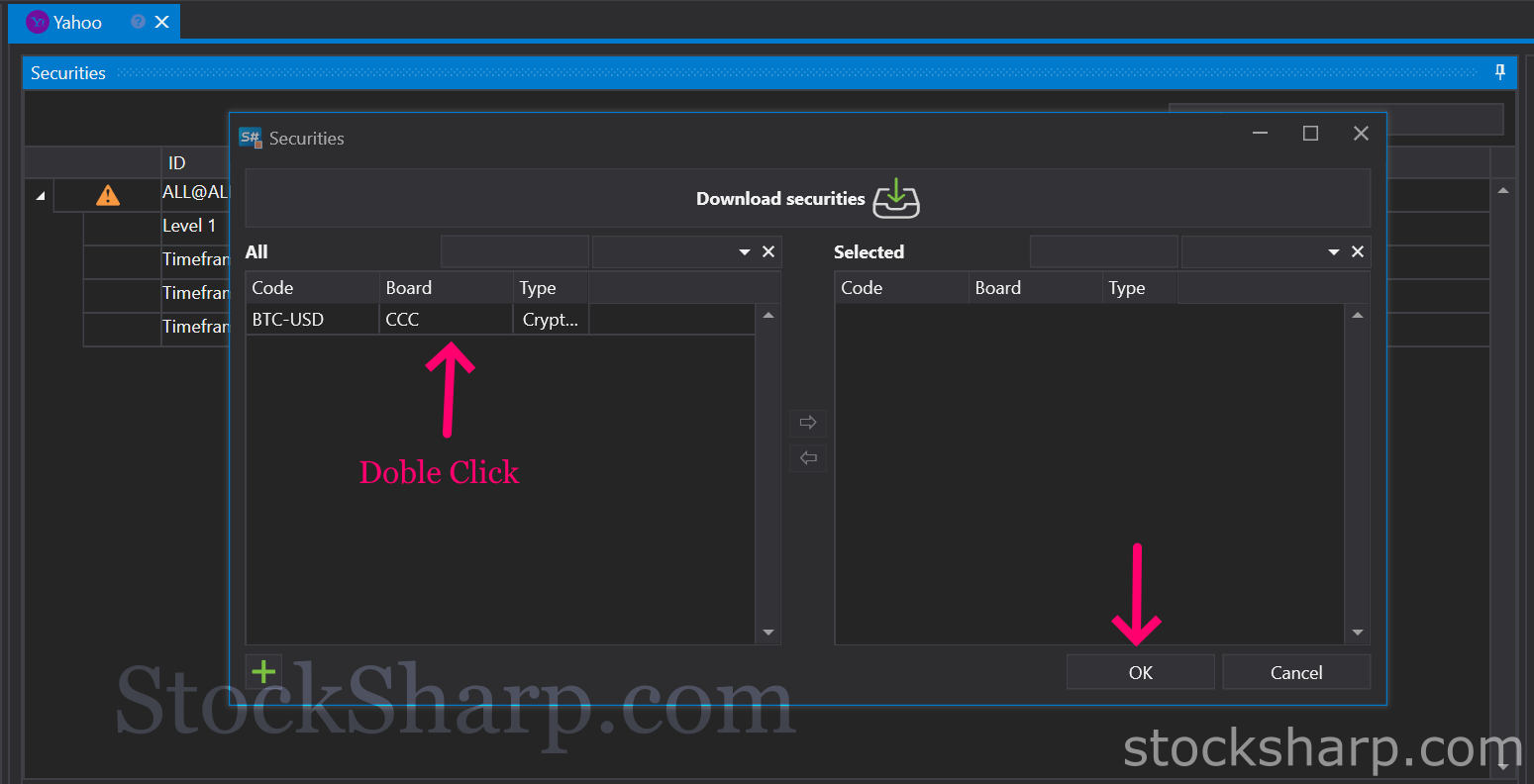 👉 Double click on the Instruments tab on the left to move it to the right and click OK.
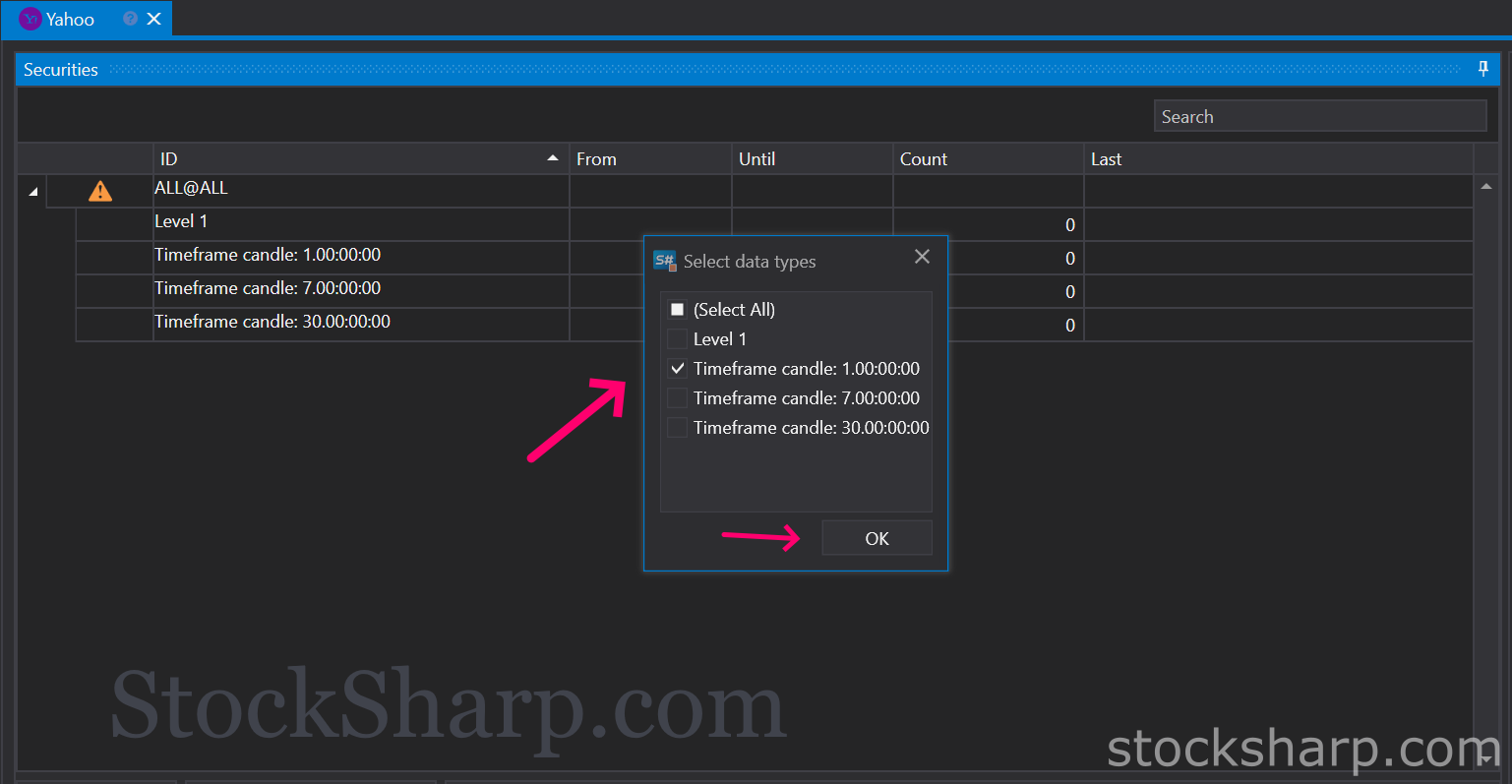 👉 Select the Time Frame candle and click OK.
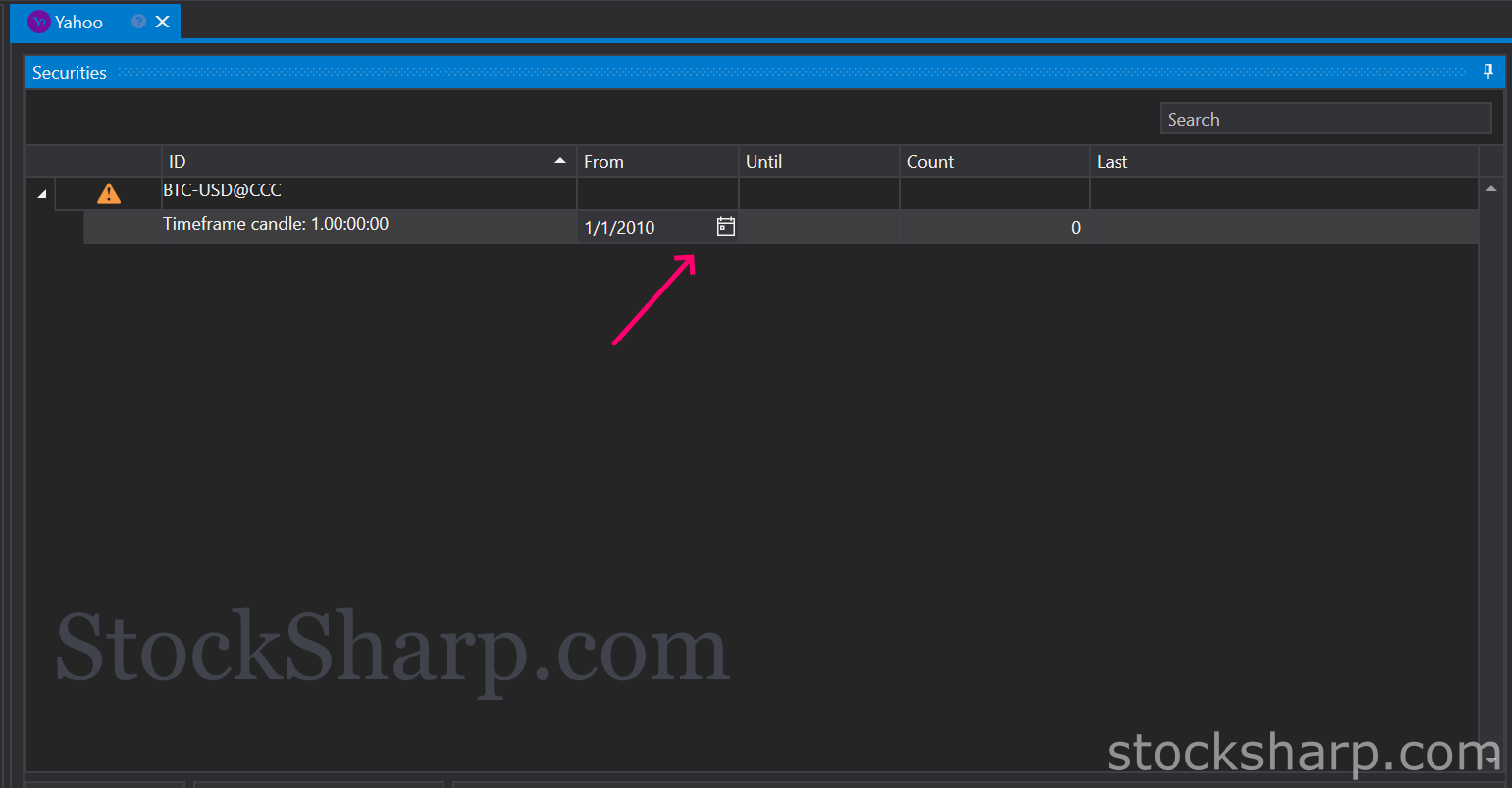 👉 Press to select a Date. Where you want to start with Market Data information.
👉 For example 2010/01/01.
👉 Press to select a Date. Where you want to start with Market Data information.
👉 For example 2010/01/01.
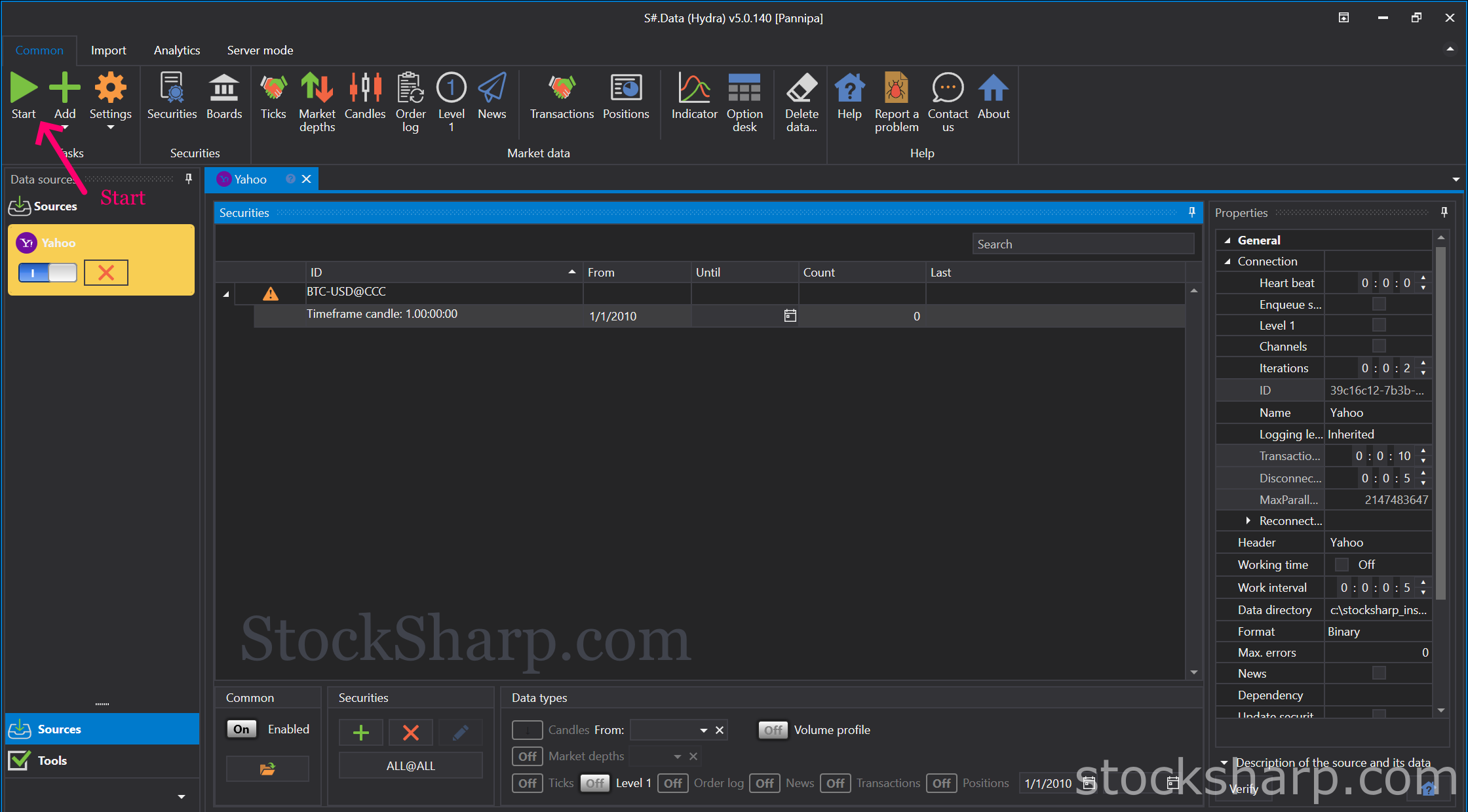 👉 Press Start at the top left hand corner of the screen to begin downloading Market Data information from Yahoo finance.
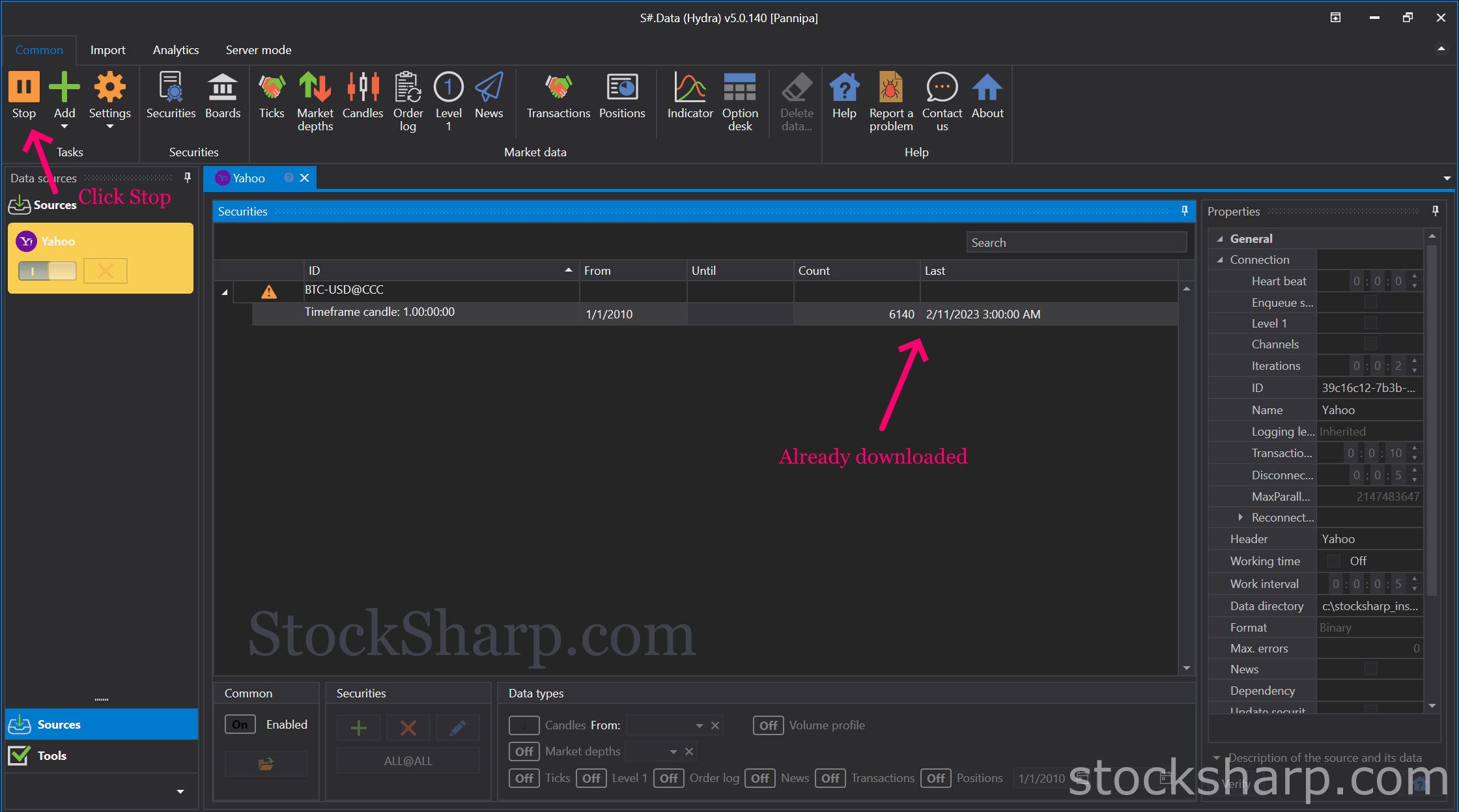 👉 Once the data has finished downloading, press Stop.
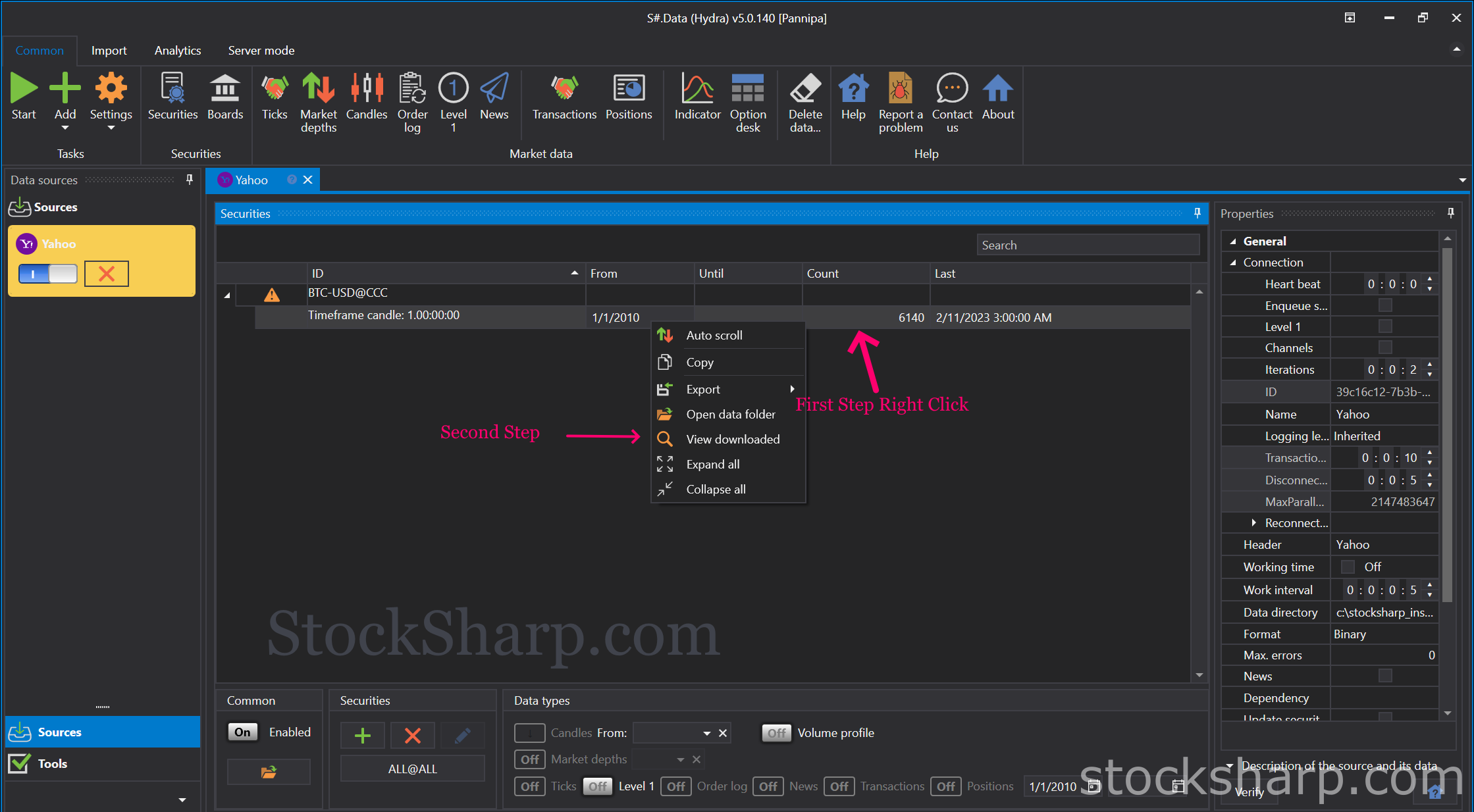 👉 Right-click on the top bar and select View download.
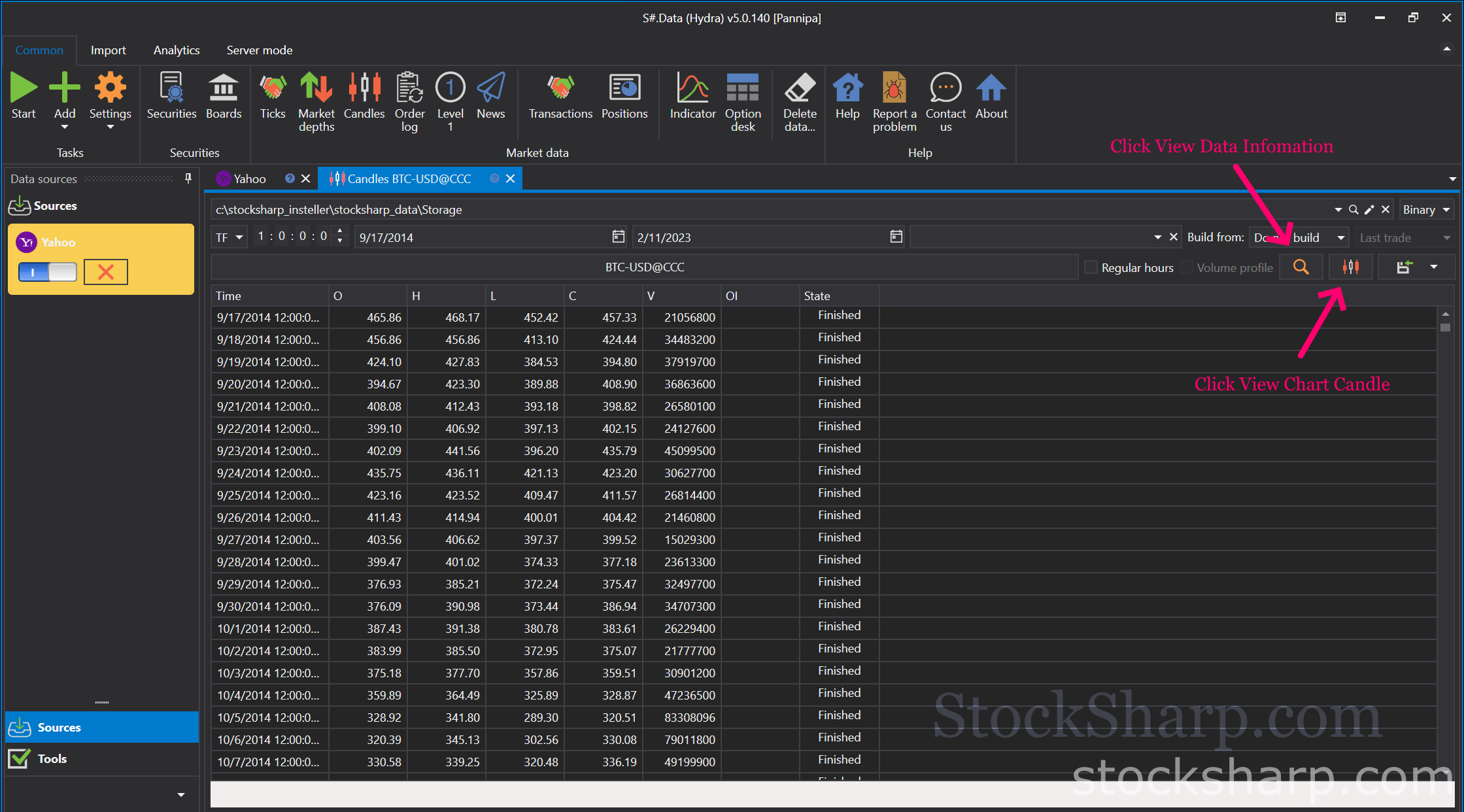 👉 Click View Market Data information.
👉 Or Click View Chart candle.
👉 Click View Market Data information.
👉 Or Click View Chart candle.
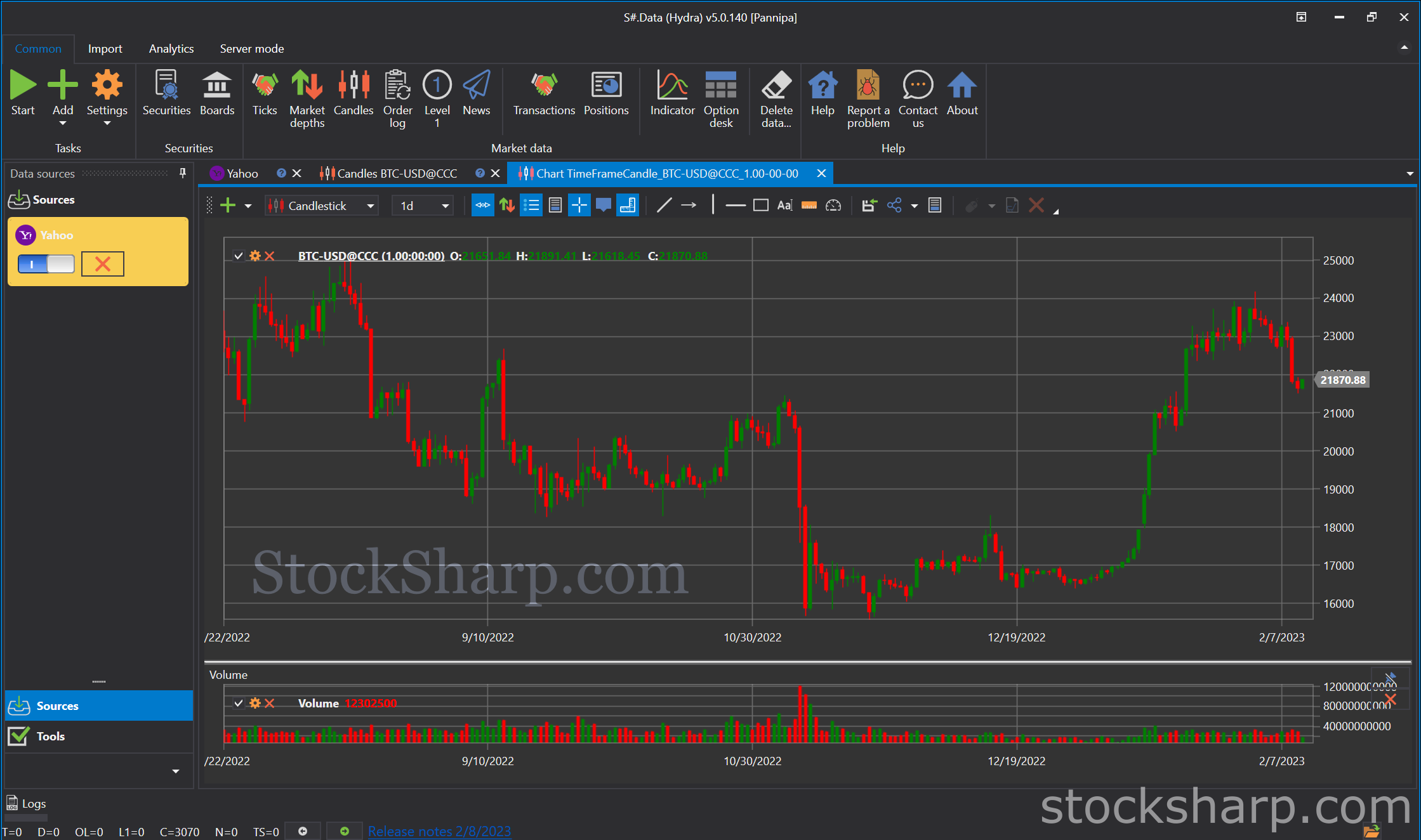 👉 Now everything is done.
Kommentare (0)
Anmelden oder Konto erstellen, Melden Sie sich an oder registrieren Sie sich, um einen Kommentar zu hinterlassen
Noch keine Kommentare. Seien Sie der Erste!