

 Русский
 中文
中文
 Español
 Deutsch
 Português
 日本語
日本語

In the latest update to Terminal—and the platform as a whole—we have made several significant improvements to order book functionality, making it even more convenient and flexible. These innovations will help traders analyze the market more effectively and make better-informed decisions. This article covers the key updates, including a new two-column order book mode, a bubble-style tick trade chart, support for a moving spread, and enhancements to sparse and grouped order books.
New Two-Column Order Book Mode
The StockSharp order book can now be displayed in two columns: one for prices and the other for order volumes. Unlike the previous three-column mode, in which bid and ask volumes appeared separately, they are now combined in a single column, with background colors distinguishing buy and sell orders.
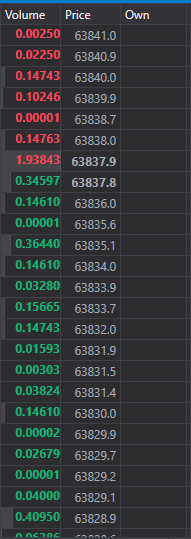
Advantages of the new mode:
- Compactness: All order volumes at a single price level are consolidated in one column, making the interface more compact.
- Visual separation: Different background colors make buy and sell volumes easy to distinguish.
- Space savings: This format makes it easier to monitor multiple assets on a single screen.
Bubble-Style Tick Trade Chart
You can now use a bubble-style tick trade chart, where each bubble represents an individual trade. The bubble's size corresponds to the trade volume: the larger the volume, the larger the bubble. Its color indicates the trade direction—green for buys and red for sells.
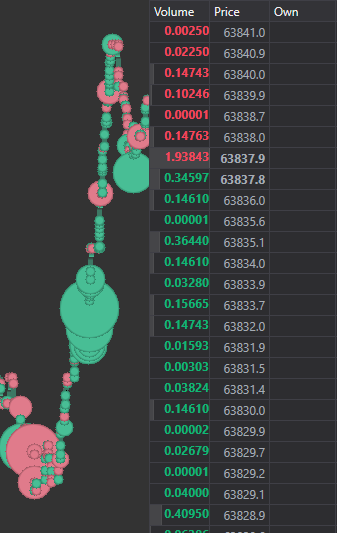
Advantages of the bubble chart:
- Visual clarity: Varying bubble sizes provide an immediate visual representation of trade volumes.
- Color coding: Green and red instantly distinguish buys from sells.
- Ease of analysis: The visual representation helps you assess market activity quickly.
New Moving Spread Mode
The platform now includes a moving spread mode that automatically adjusts the spread as the price moves. If the price rises, the spread shifts upward; if the price falls, it shifts downward. This feature helps you track spread dynamics more effectively relative to current market movements.
Advantages of the moving spread mode:
- Automatic adjustment: The spread automatically adapts to price changes.
- Ease of analysis: The mode makes it easier to track changing market conditions and price dynamics accurately.
Improved Support for Sparse Order Books
Working with sparse order books is now even more convenient. The platform automatically optimizes the display for assets with wide gaps between order prices, making the information easier to analyze.
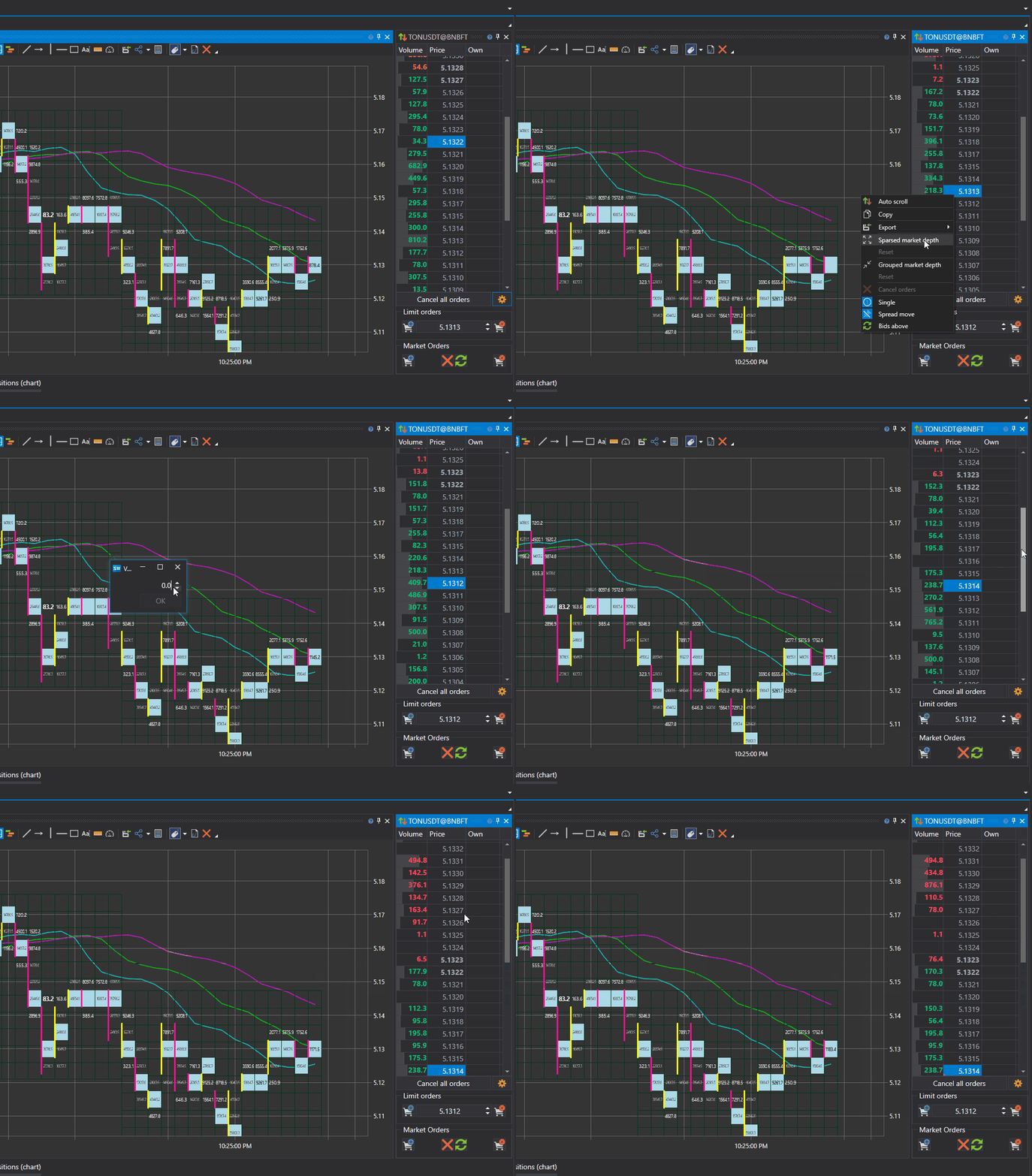
Advantages:
- Clear display: Orders remain easy to view even for low-liquidity assets with sparse price levels.
- Ease of analysis: Data with fewer orders is easier to track.
Grouped Order Book
We have also improved support for the grouped order book, which combines orders at nearby price levels into groups. This simplifies the analysis of instruments with many orders distributed across similar price levels.
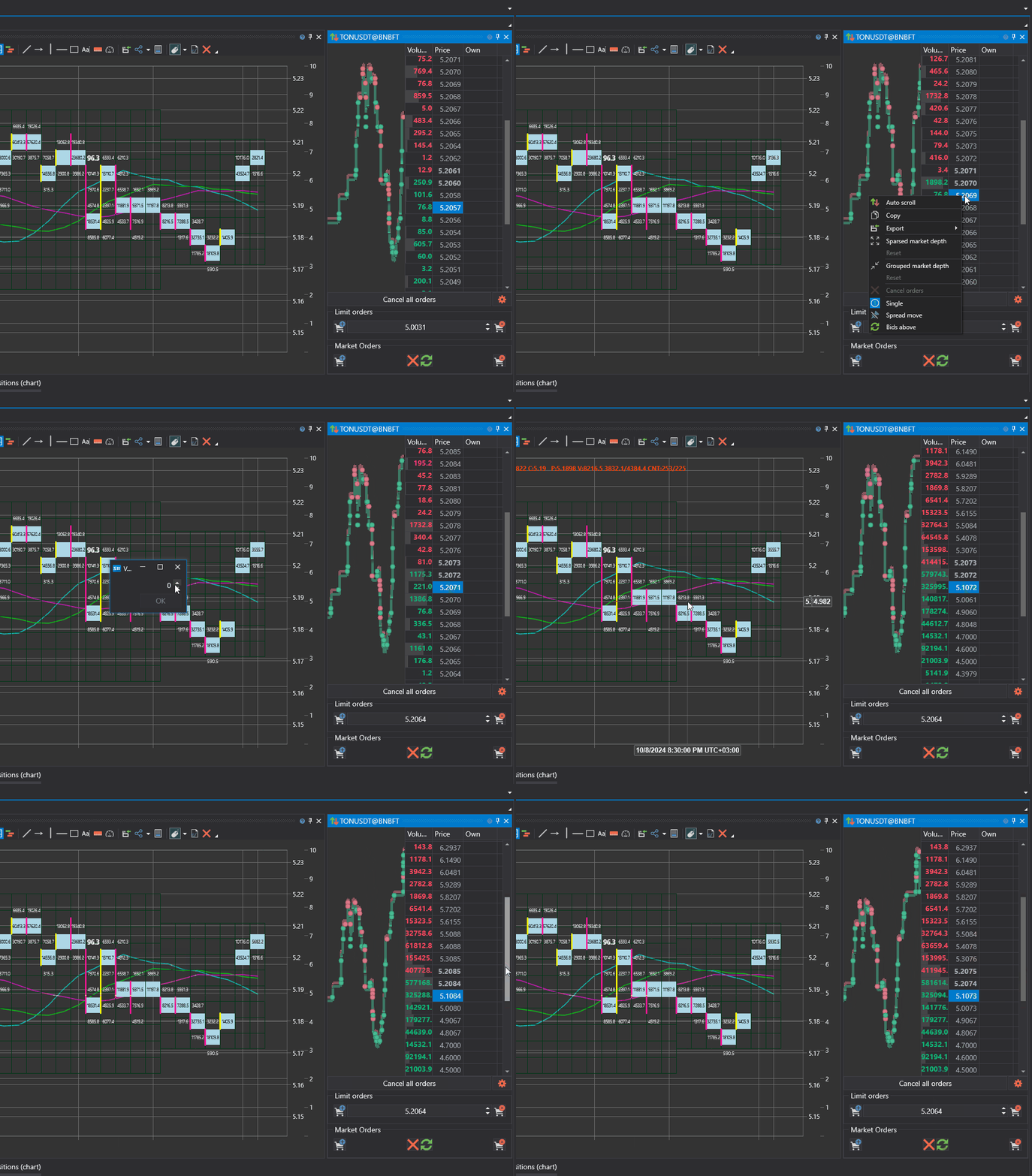
Advantages of the grouped order book:
- Order grouping: Large amounts of information are displayed more conveniently.
- Reduced visual clutter: Grouping reduces the amount of data you need to examine, making it easier to interpret.
Customizable Options
All the new order book features can be enabled or disabled at any time, allowing you to restore the previous appearance if needed. You can customize the order book to suit your preferences: keep the two-column mode, enable the tick trade bubble chart, use the moving spread, or return to the classic layout.
Conclusion
The latest order book updates make StockSharp more flexible and efficient to use. The new two-column mode with visual volume separation, bubble-style tick trade chart, moving spread, and improved support for sparse and grouped order books give traders access to more accurate and up-to-date data for analysis and decision-making.
Try the new order book features in StockSharp and customize them to improve your trading experience!
Comments (0)
Login or Create account, Log in or register to leave a comment
No comments yet. Be the first!