

 Русский
 中文
中文
 Español
 Deutsch
 Português
 日本語
日本語
Orders and portfolio
Edit or cancel active orders, display positions with a pinned cash balance, and show portfolio trade history.
Trading Controls JS — seven ready-made browser panels for a trading terminal: active orders, positions, trade history, watchlist, order entry, order book and trade feed. Each component builds its own ...

Trading Controls JS — seven ready-made browser panels for a trading terminal: active orders, positions, trade history, watchlist, order entry, order book and trade feed. Each component builds its own DOM and connects to your application through one explicit TradingHost.
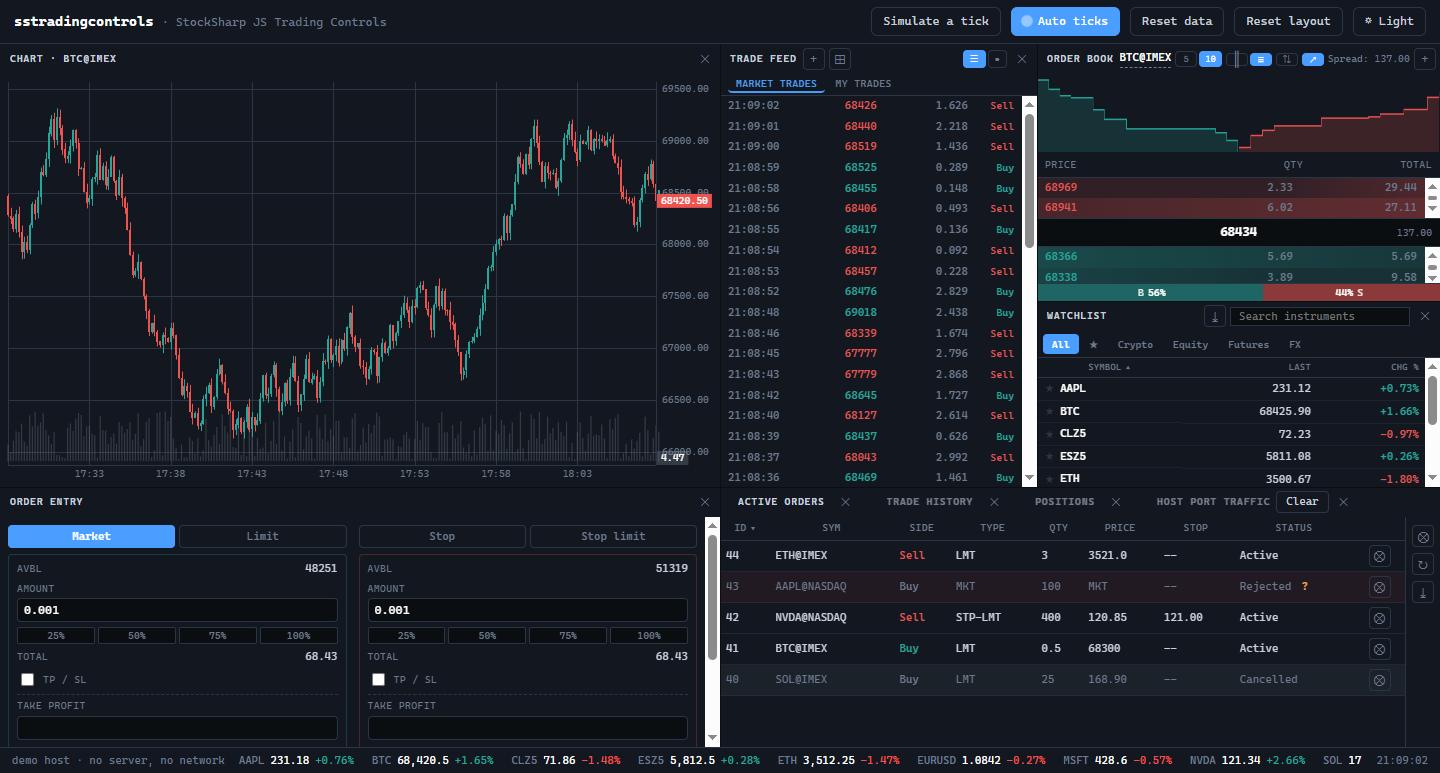
Edit or cancel active orders, display positions with a pinned cash balance, and show portfolio trade history.
Build a watchlist with streaming quotes, an order-book ladder and a public trade feed that can switch between rows and a bubble chart.
Translations, permissions, portfolio context, settings, market data and trading callbacks all enter through TradingHost rather than hidden globals.
Install the typed ESM package and its stylesheet:
import { PositionsWidget } from '@stocksharp/trading-controls';
import '@stocksharp/trading-controls/styles.css';
import '@stocksharp/trading-controls/theme.css'; // optional ready-made palette

const positions = PositionsWidget.create(document.querySelector('#positions'), {}, {
  host,
  closePosition: (portfolio, instrument) => api.close(portfolio, instrument),
  reversePosition: (portfolio, instrument) => api.reverse(portfolio, instrument),
  refreshPositions: () => reload(),
});

positions.update(rows);
The package includes ActiveOrdersWidget, PositionsWidget, TradeHistoryWidget, WatchlistWidget, OrderEntryWidget, OrderBookWidget and TradeFeedWidget. Table-based panels use Grid JS; the package also supplies TypeScript declarations, an ESM build, the window.SSTradingControls browser bundle, shared CSS and an optional light/dark theme.
This is a UI library, not a standalone terminal, broker connector or backend. It does not open trading connections or select an account on its own. Your host supplies data, translations, permissions, persistence and the callbacks that perform trading operations. The public demo is fully simulated and uses no server or network connection.
I answer from what this page says. For anything else I will point you to the documentation.