

 Русский
 中文
中文
 Español
 Deutsch
 Português
 日本語
日本語
A complete platform to launch and run a brokerage
Back office, client portal and trading terminals on a single StockSharp API — everything your company needs to serve traders.
Behind it: 389 venue connectors, 867 ready-made strategies, 8 applications and 32,253 traders in the StockSharp ecosystem.
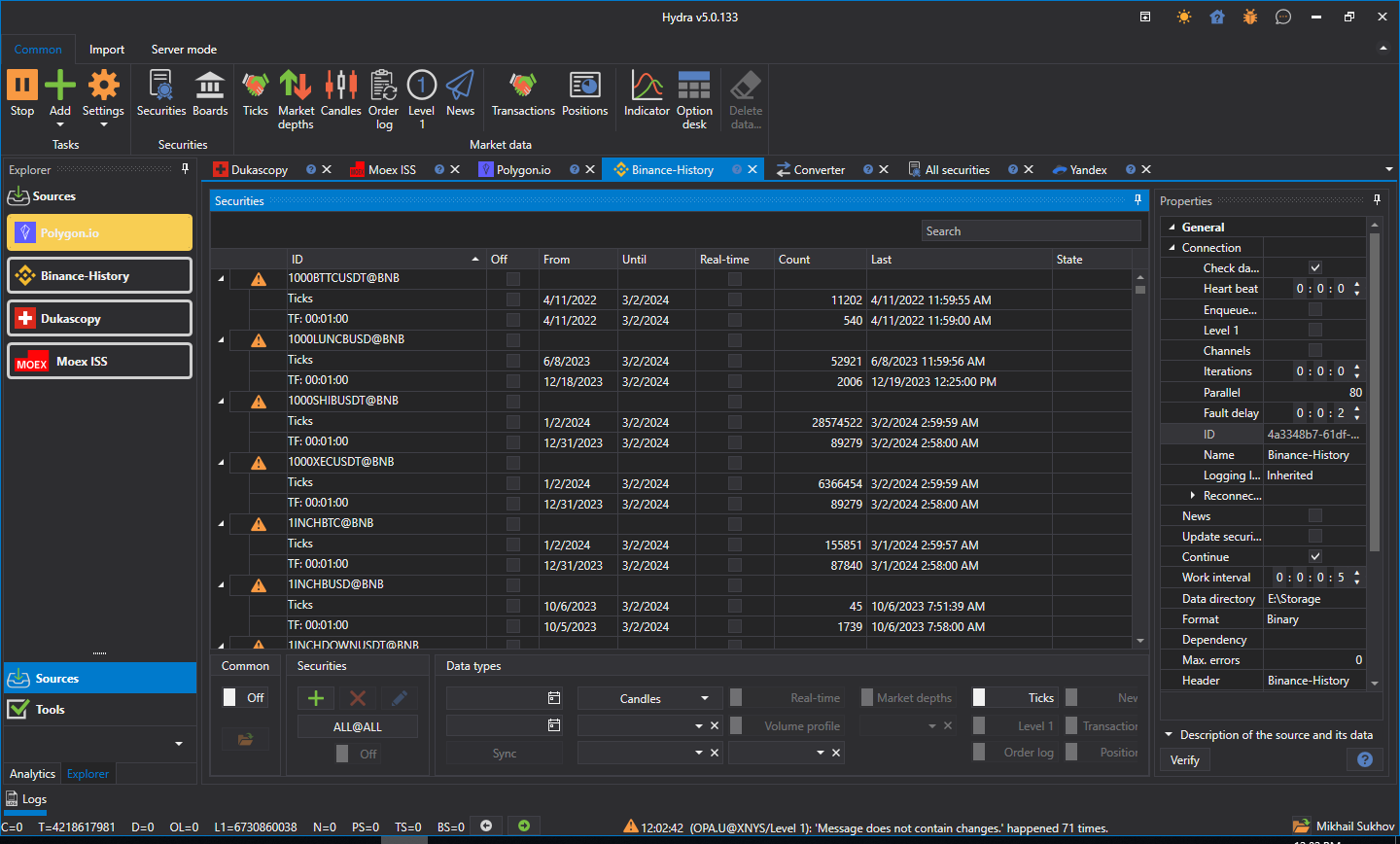
Everything your staff runs the brokerage from
One console over a typed layer of some 45 admin services: onboard and vet a client, open the accounts, approve money movement, set the limits, step into a live order, and pull the reports and the regulator files.
- Client onboarding and profiles
- KYC review queue with documents
- Trading accounts and sub-accounts
- Deposit and withdrawal approvals
- Double-entry ledger, four-eyes corrections
- Order intervention: cancel, amend, close
- Sessions, API keys, client 2FA reset
- Support desk: tickets, complaints, SLA report
- Reports and CSV / XLSX export
- Regulator files: MiFID RTS 22, EMIR, CAT
- Action trail and staff roles
- Instrument sync, backup, nine languages
Orders in, book in memory, fills out
Every order passes through one router: it stamps, persists and sends. The book matches in memory against a live feed, stops and algos run as their own servers, and clients arrive over FIX, SBE or WebSocket.
- In-memory matching engine
- Market, limit, stop-limit, TIF, post-only
- Stop, trailing and conditional orders
- Algo orders: TWAP, VWAP, Iceberg, NBBO
- SBE — schema-generated binary protocol
- FIX acceptor for client desks
- FIX initiator: 28 venue dialects
- WebSocket gate for browser and mobile
- REST control plane
- A-book out to venues, or B-book internally
- Orders and positions recovered after a restart
- Market data, candles and history on SQL Server or PostgreSQL
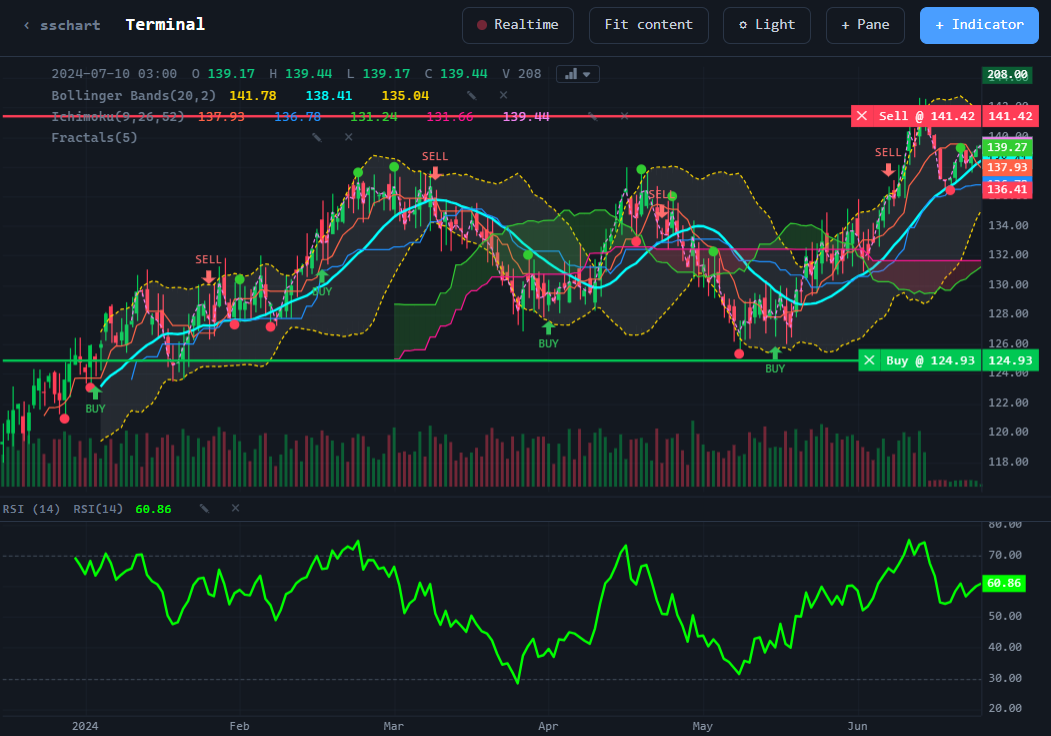
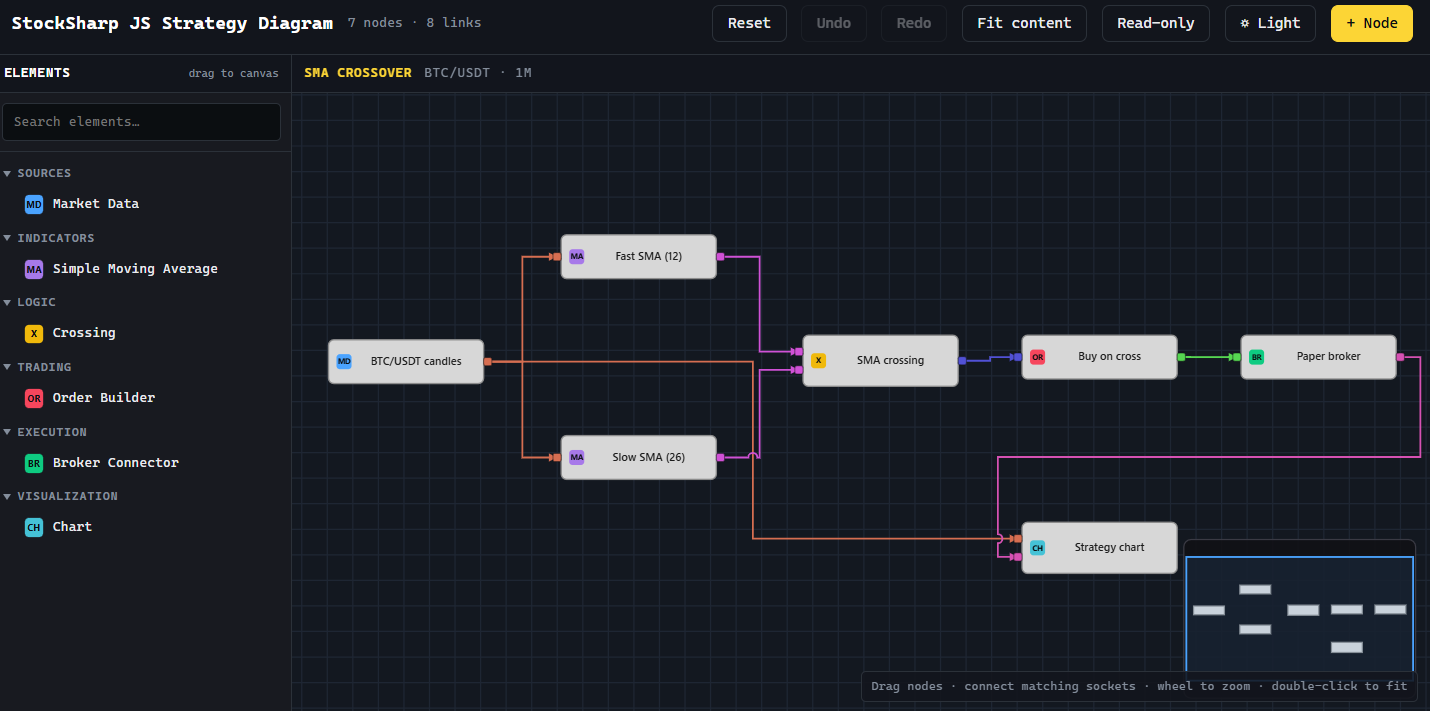
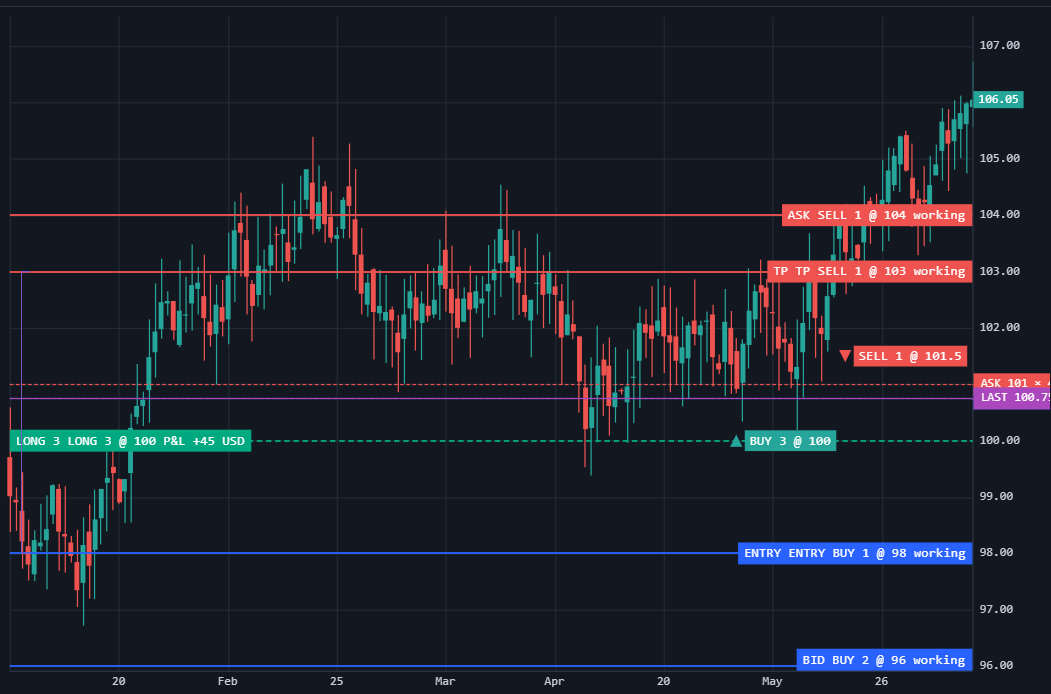
A terminal in the browser, and in a pocket
Your client opens a tab and trades — there is nothing to install. KYC, funding, two-factor and API keys sit in the same cabinet, in nine languages, on your own domain.
- Browser terminal with a saved workspace
- Five chart types, eight timeframes
- 160+ indicators computed in the browser
- Order book with click-to-trade
- Market, limit, stop and stop-limit over WebSocket
- Positions, blotters, trade report export
- Cabinet: KYC with documents, funding, tickets
- Two-factor, scoped API keys, sessions
- Strategy designer in the browser: diagram, C#, F#, Python
- Telegram bot: balance, positions, orders, trades
- Nine languages including right-to-left
- iOS and Android apps
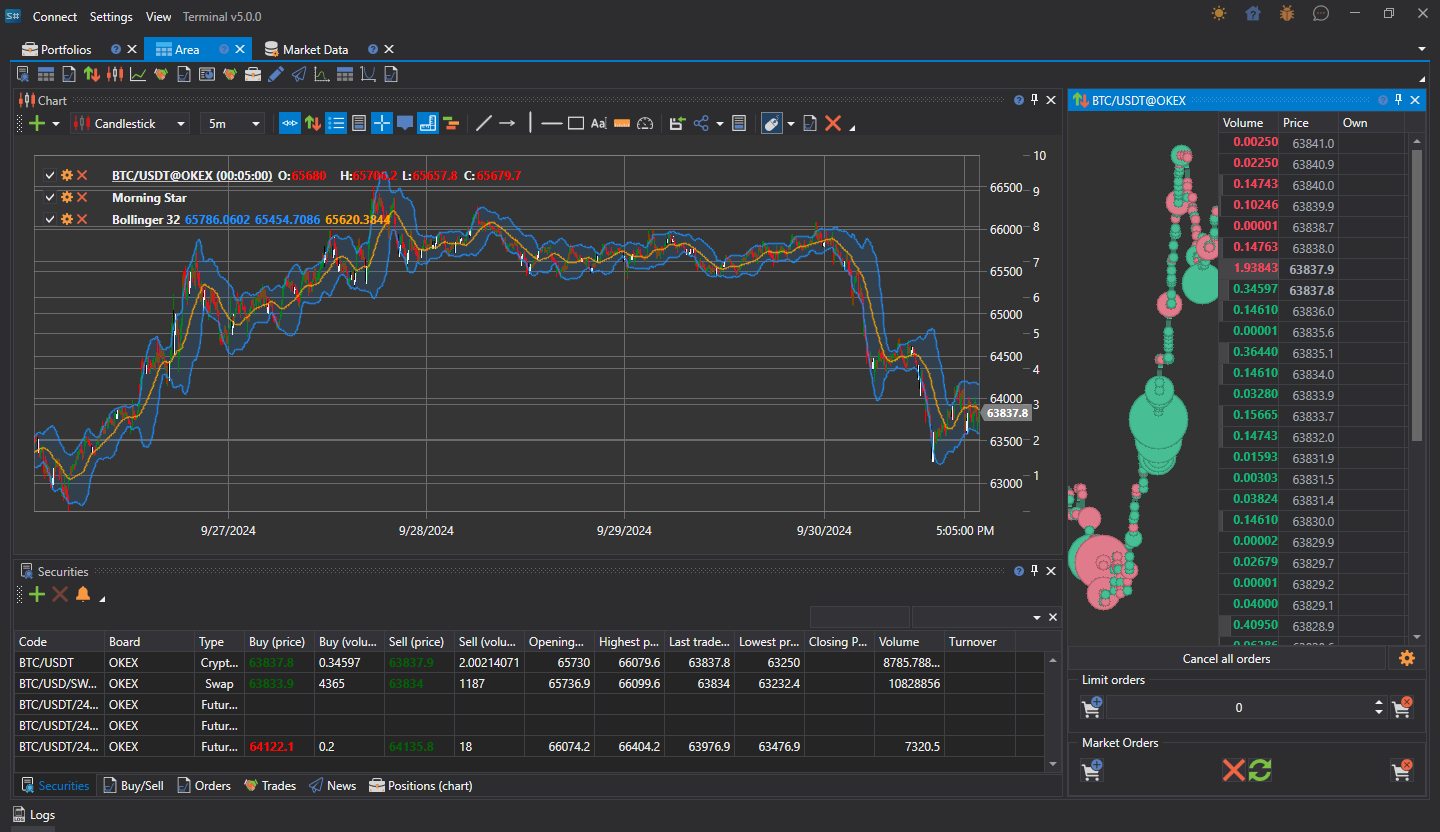
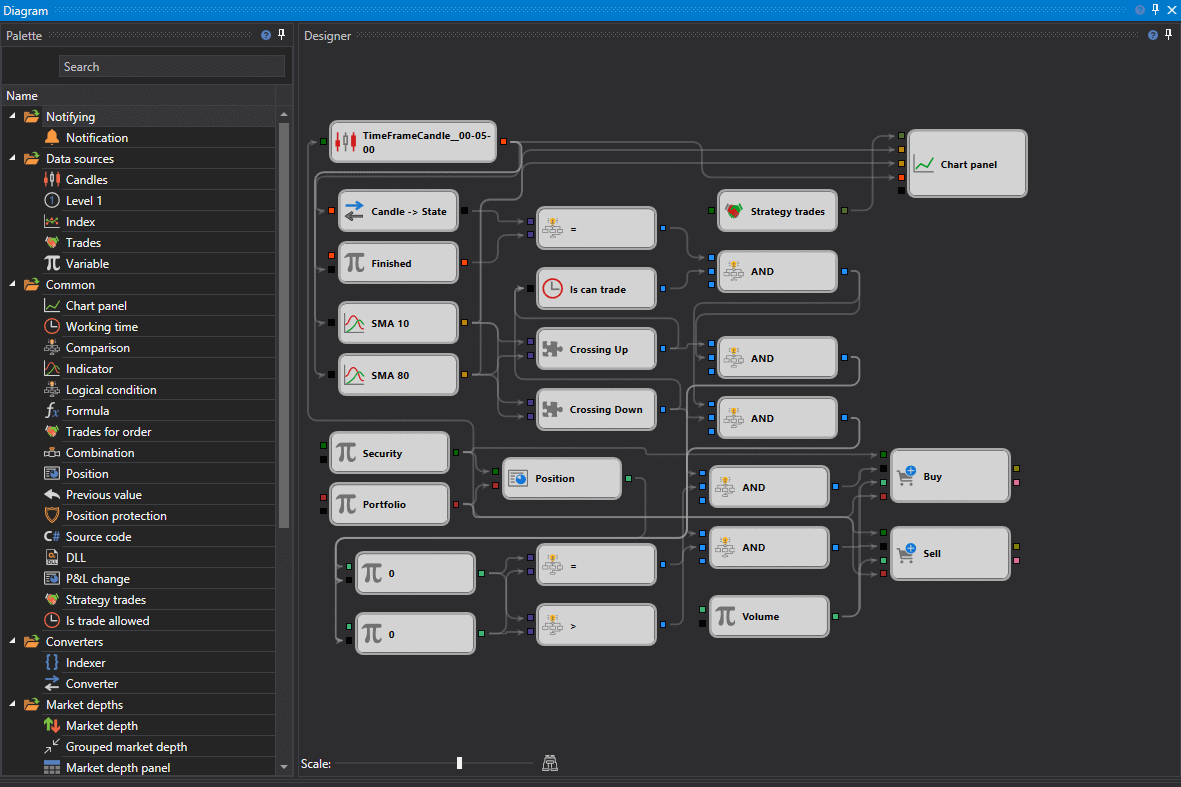
Terminal and Designer on the workstation
The professional pair your clients install: docked panels, a scalping ladder, backtesting and optimisation, and robots deployed to a headless runner. They run on Windows, macOS and Linux.
- Docked panels and saved workspaces
- Trading straight from the chart
- Scalping order book ladder
- 100+ built-in indicators
- Cluster profile, Point & Figure, box volume
- Visual strategy designer, 55 blocks
- Diagram debugging: breakpoints and stepping
- Any strategy exports as compilable C#
- Code editor: C#, F#, Python
- Backtesting, brute-force and genetic optimisation
- Robots deployed to a headless runner
- 370+ broker and exchange connectors
AI writes strategies and works with the platform
A trader describes an idea in plain words and gets a ready Designer scheme or C# code, checked by the compiler. Through MCP, an AI agent such as Claude or ChatGPT places orders in the Terminal and runs backtests in the Designer, while your clients’ bots connect to the gateways with API keys of limited rights.
- A Designer scheme from a plain-words description
- The scheme is checked against the block registry and repaired automatically
- C# strategies and indicators, built by the compiler
- OpenAI GPT and Anthropic Claude models
- The AI chat draws the scheme right in the conversation; a Telegram bot too
- MCP server: 16 tools for the Terminal, Designer and Hydra
- The agent places and cancels orders in the Terminal
- The agent runs backtests and optimisation; live start is closed to it
- The agent sets up market-data downloads in Hydra
- API keys for bots: market data, trading, withdrawals
- Key expiry, IP allow-list, created behind 2FA
- OpenAPI description of the API for developers and agents
Thousands of ready strategies, one click away
Your clients don’t start from scratch: 3,811 ready strategies in C# and Python and 220 Designer schemes install from the gallery in one click and come already tested on history. And your authors’ strategies go to a showcase where investors subscribe to them.
- 3,811 strategies, each in C# and in Python
- 26 types: breakouts, mean reversion, trend, arbitrage and more
- 77 strategies with machine learning and neural networks
- 220 ready schemes for the visual Designer, plus 11 lessons
- Strategy and scheme descriptions in seven languages
- Every strategy is built and run on history automatically
- Gallery in the Designer: search, install and update in one click
- Desktop Designer schemes open in the web Designer
- Authors publish their own strategies, free or paid
- An investor showcase with moderation and a risk category
- Fees: fixed, management or performance
- Subscribe, pause and cancel; returns on history and live
Request the platform
Tell us about your company — we will get back to you with a quote and a plan for deploying on your own servers.
Interested in launching your brokerage?
Tell us about your company and we will help you get started.